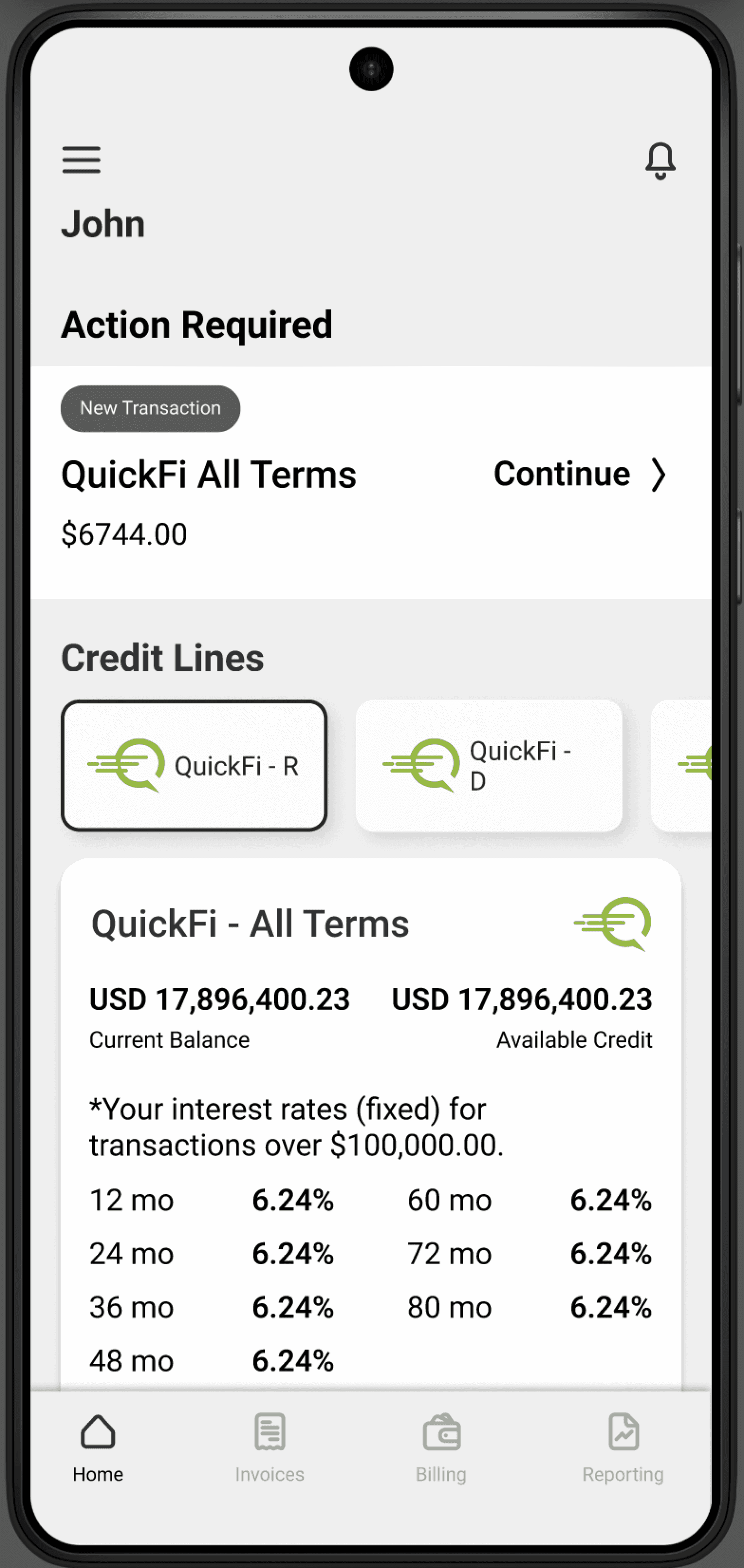
QuickFi: How I Fixed a Broken Fintech App
Look, QuickFi was a mess. Three platforms, zero consistency, and users abandoning transactions left and right. Eight months later, we turned it into something people actually wanted to use.
What I did: Lead Designer, Android Developer,
Timeline: 8 months (2024)
Platforms: iOS, Android, Web
Here's what happened
increase in user satisfaction
boost in transaction completion
-8 min
Not bad for a "simple" redesign project.
The Real Problem (It Wasn't What I Thought)
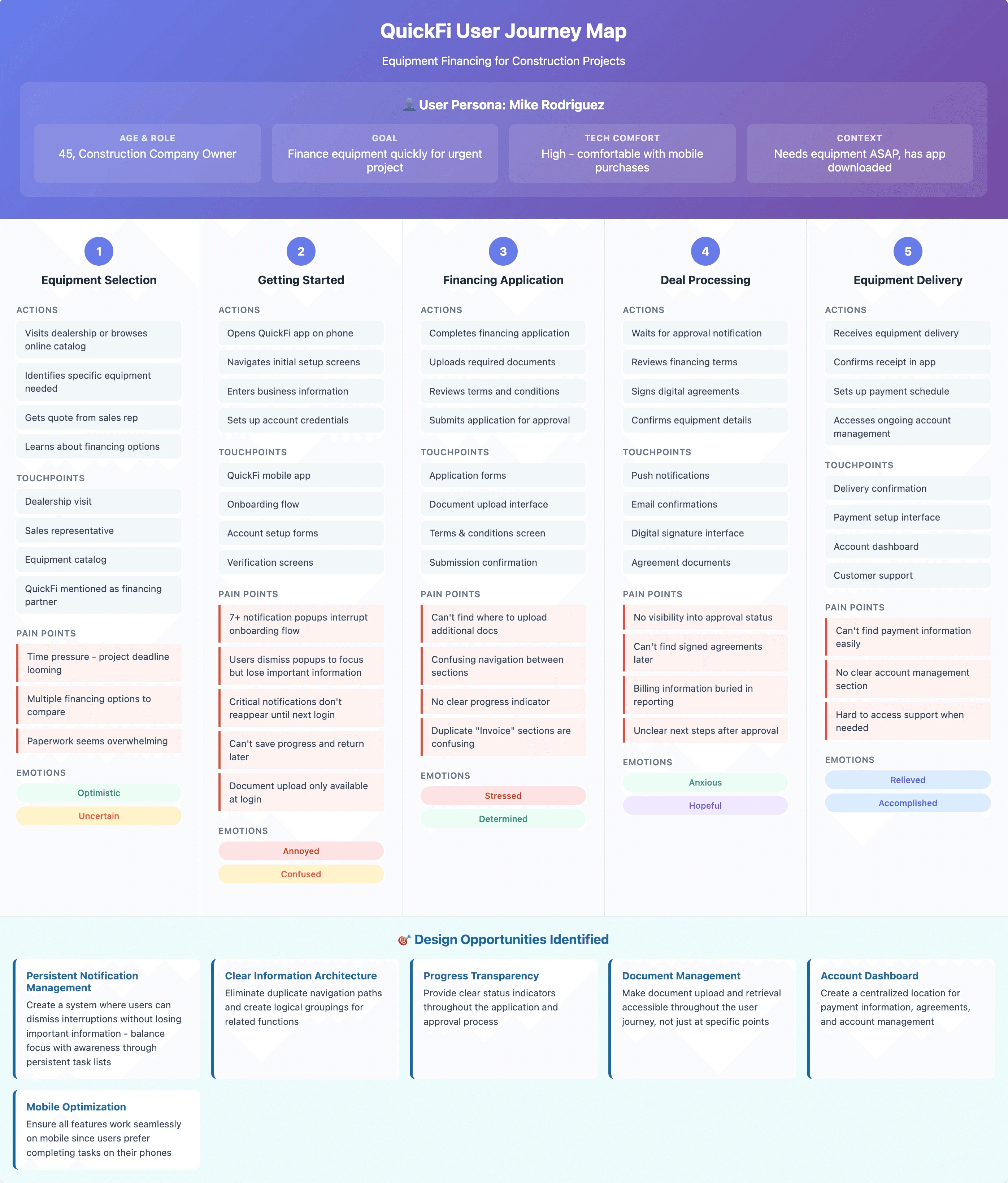
Everyone kept talking about the visual inconsistencies. Sure, buttons looked different across platforms, but that wasn't killing the user experience. The real issue was deeper.
Users were getting bombarded with notifications. Seven different popups per session. Imagine trying to send money while getting interrupted every 30 seconds. Then there was the navigation nightmare - two different menu items that went to basically the same place. Classic feature creep.
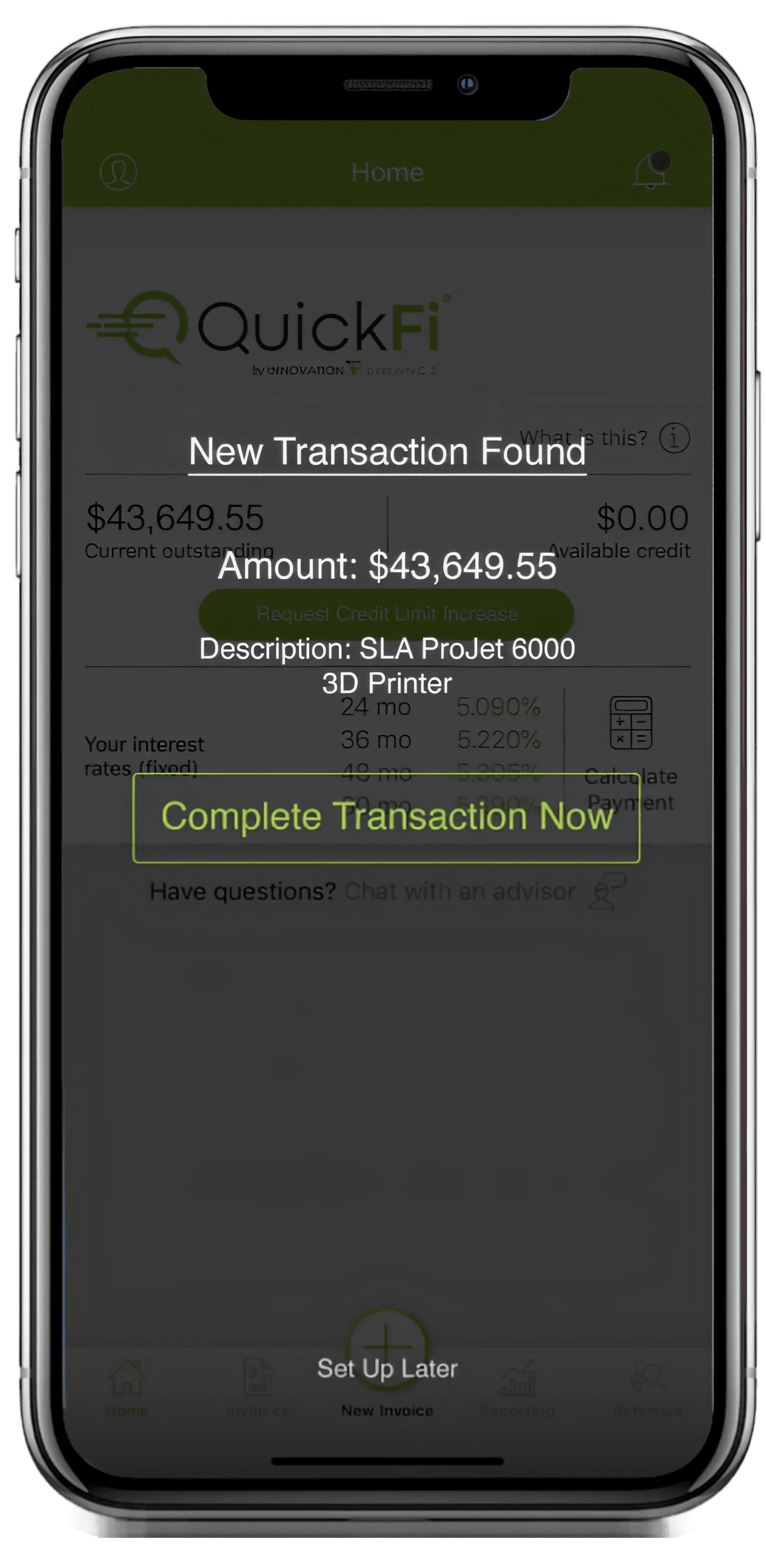
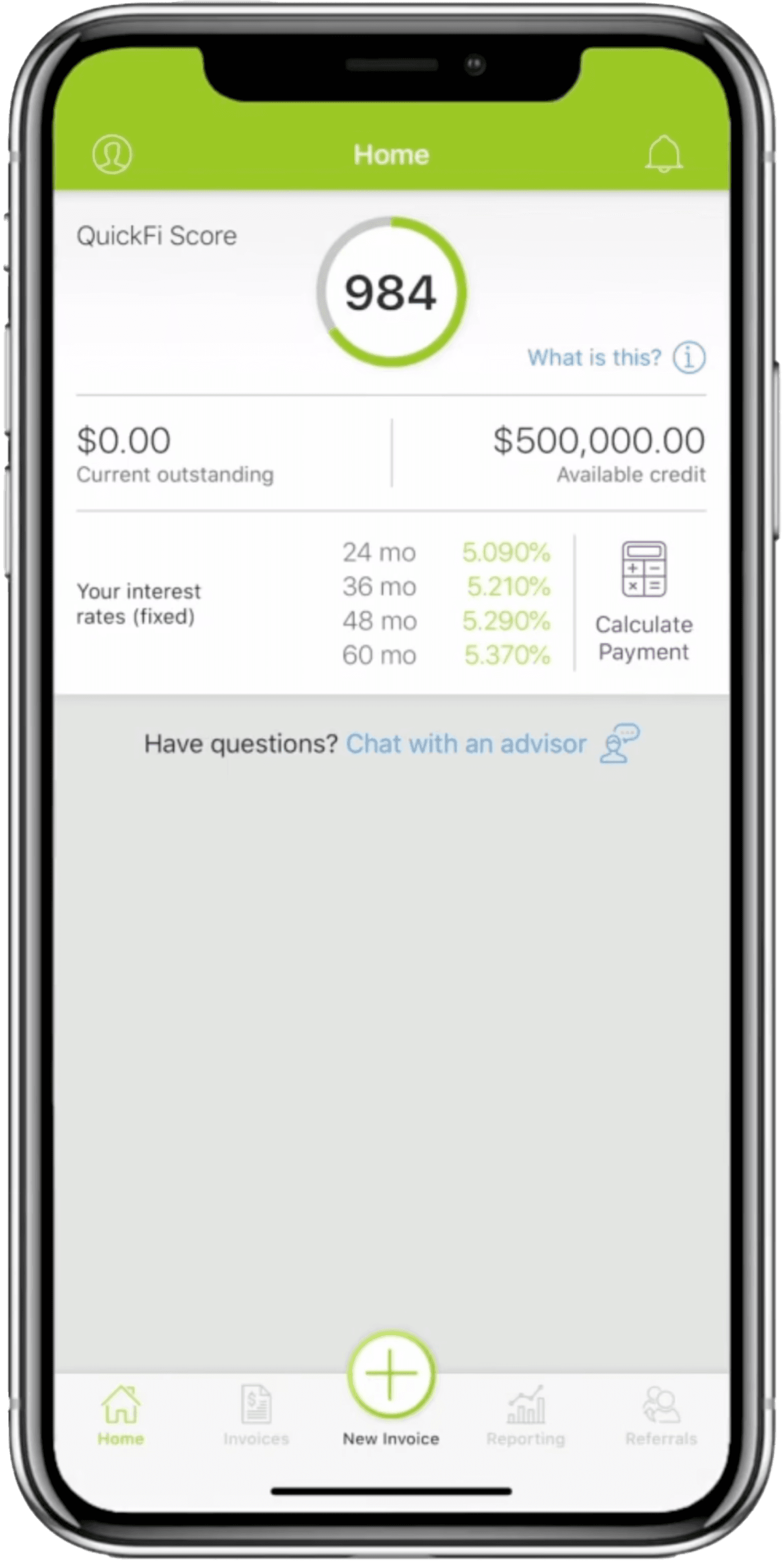
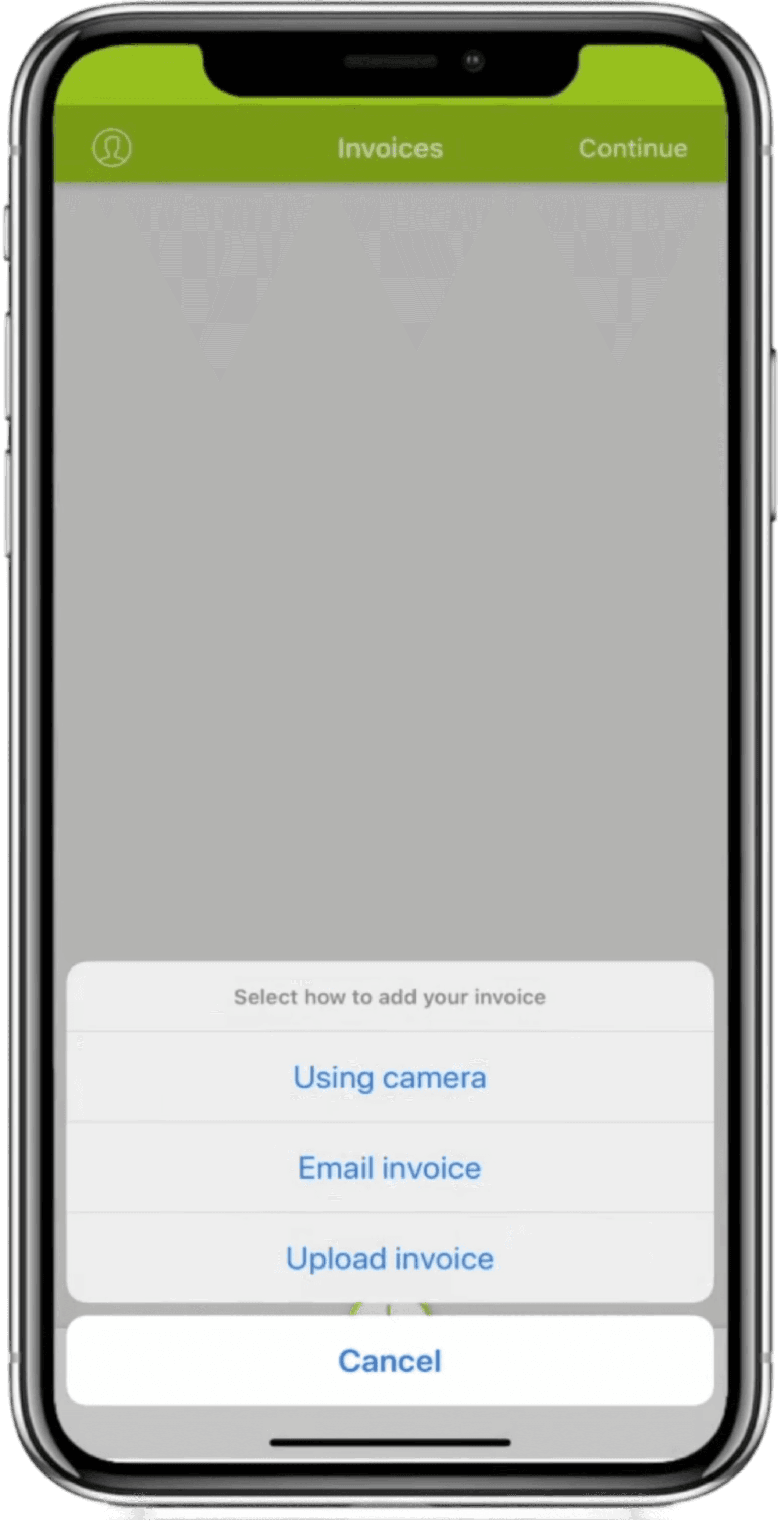
Before: Primary actions were housed in full-page overlays that lacked persistence. If dismissed, these overlays could only be re-accessed through a "hidden" tab-toggle, creating a high-friction experience for the user.

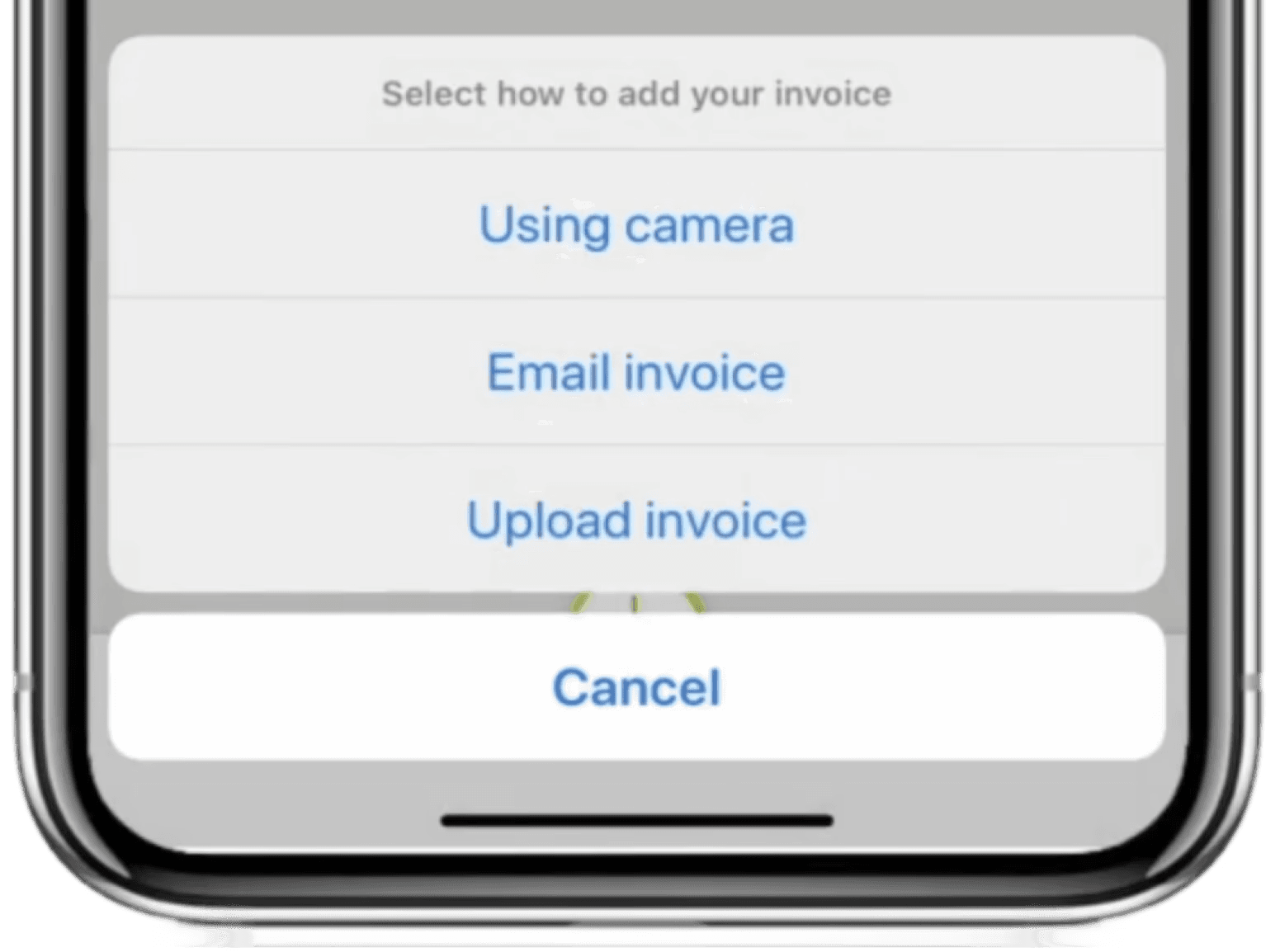
Before: Triggers were inconsistent. Creating a new invoice forced a tab-switch and opened a menu, yet the actual Invoices tab remained a blank state with no call to action (CTA) to guide the user.
The document upload process? Hidden at login only. Users would sign up, create a credit request, need to upload something, and couldn't find where to do it. Support tickets through the roof.
What I Actually Learned From Users
Here's the thing about user research - sometimes what people say and what they do are completely different stories.
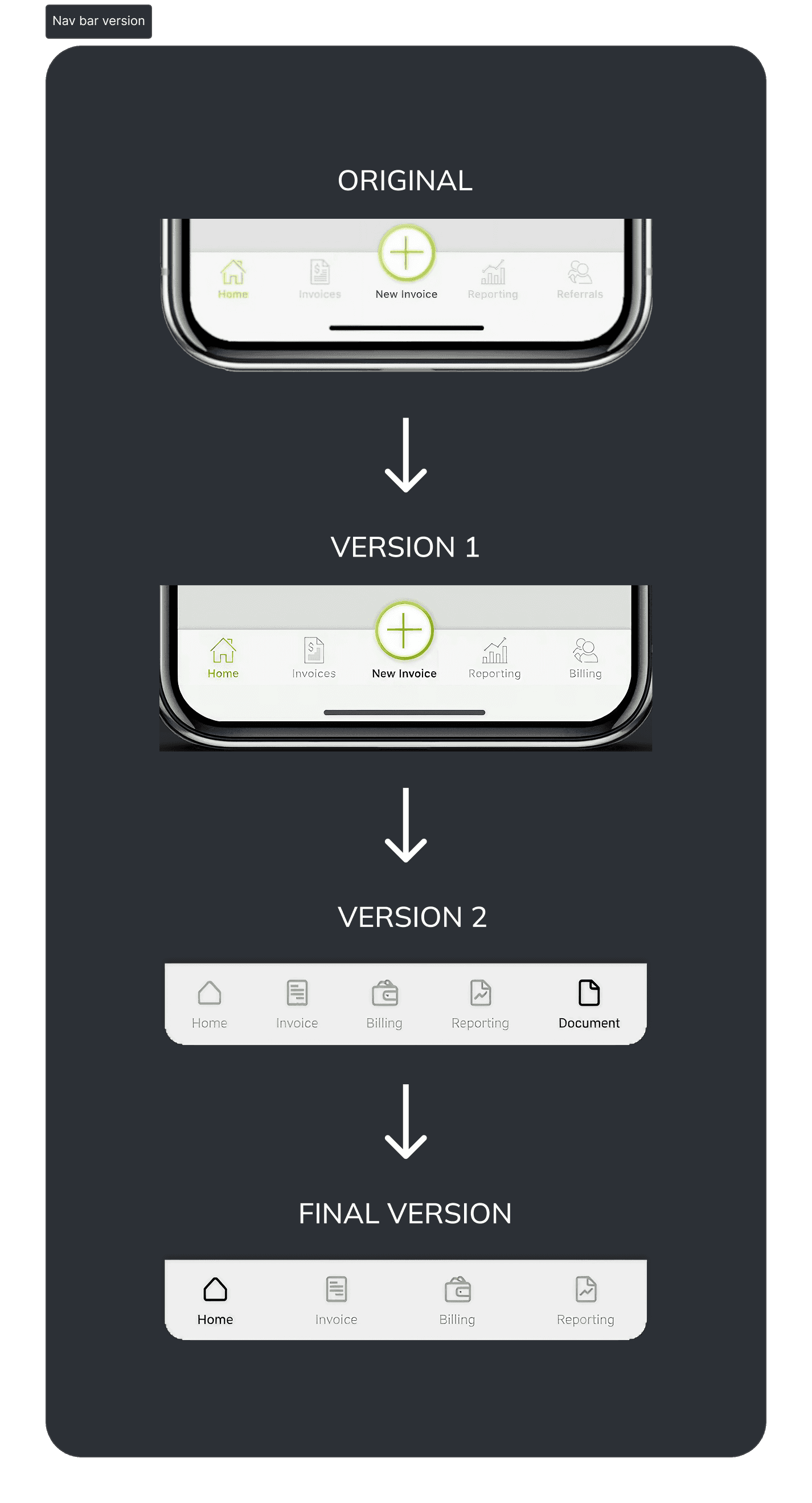
The navigation analysis revealed something interesting. Those "Invoices" and "New Invoices" sections everyone complained about? They led to to the same page. The only difference was a dropdown that appeared when you hit the add button.
But here's what really mattered: Most users weren't creating new invoices anymore. They were coming in to handle deals that partners had already set up. The whole app was designed around the wrong user flow.
My Approach: Fix the Foundation First
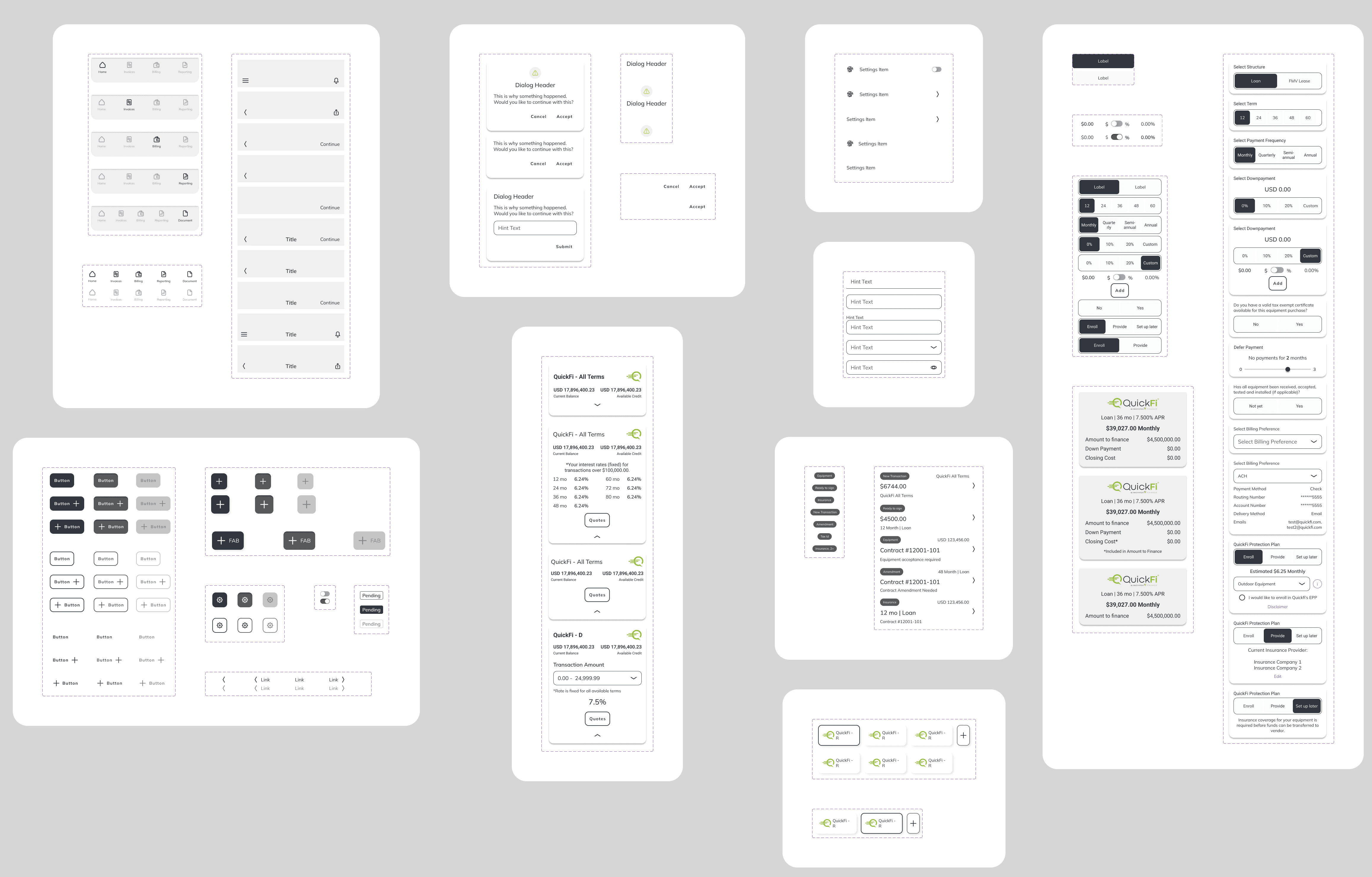
I started with the design system because nothing else would work without it. You can't solve user experience problems when your own team doesn't know what a button should look like.
Building the Design System
Created a comprehensive Figma library that became our single source of truth. Not just pretty components - actual specifications with interaction patterns and usage guidelines. This wasn't busy work. It cut our design-to-development time by 40%.
x7
Fixing the Notification Chaos
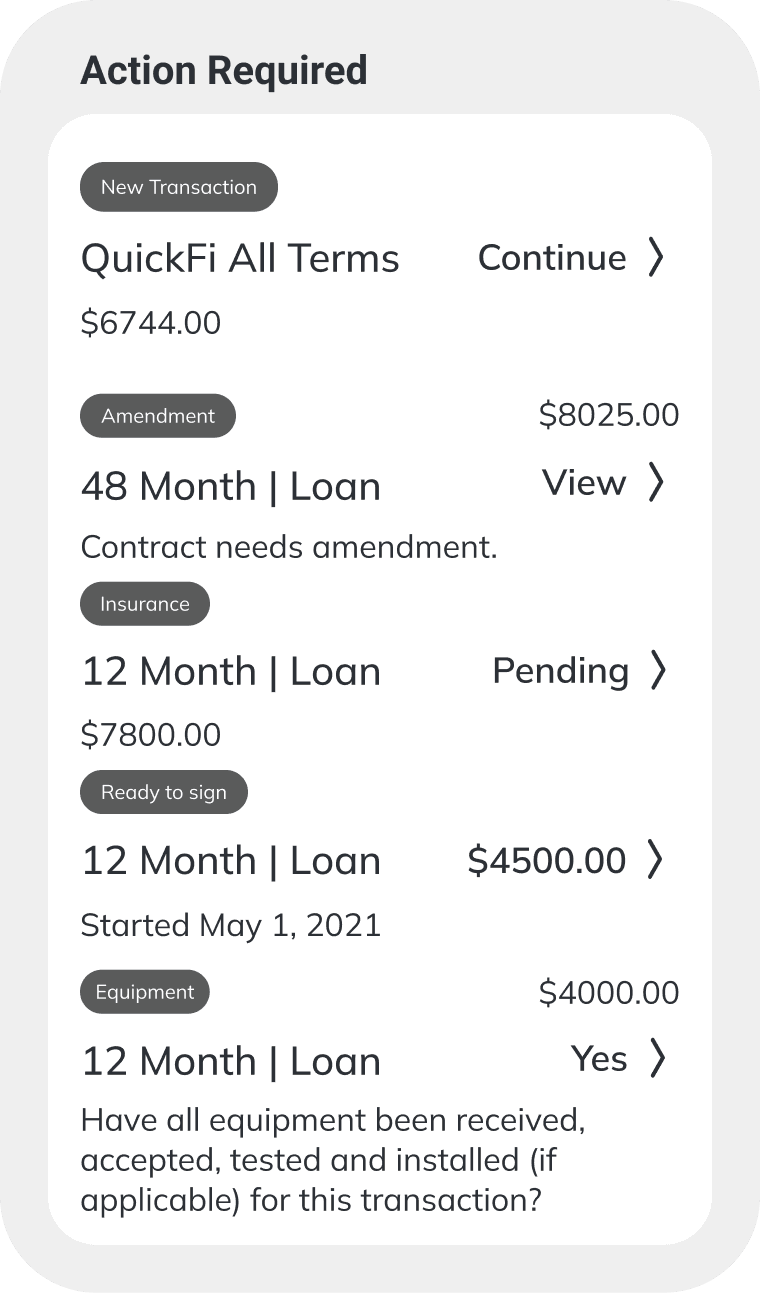
The notification problem required rethinking how we categorize information. Not everything needs to interrupt the user immediately.
Setup Incomplete
Verification Incomplete
Required Documents.
New transaction
Insurance
Equipment Acceptance
Tax Id
I restructured notifications by urgency and relevance. Critical stuff like Incomplete setup or Required document that allows the user to use all the app features still gets an overlay, but with the option to delay it if they're in the middle of something important. Everything else goes into a task list on the main page. Seven popups became one organized list.
Rebuilding Information Architecture
Home
Invoices
Billing
Reporting
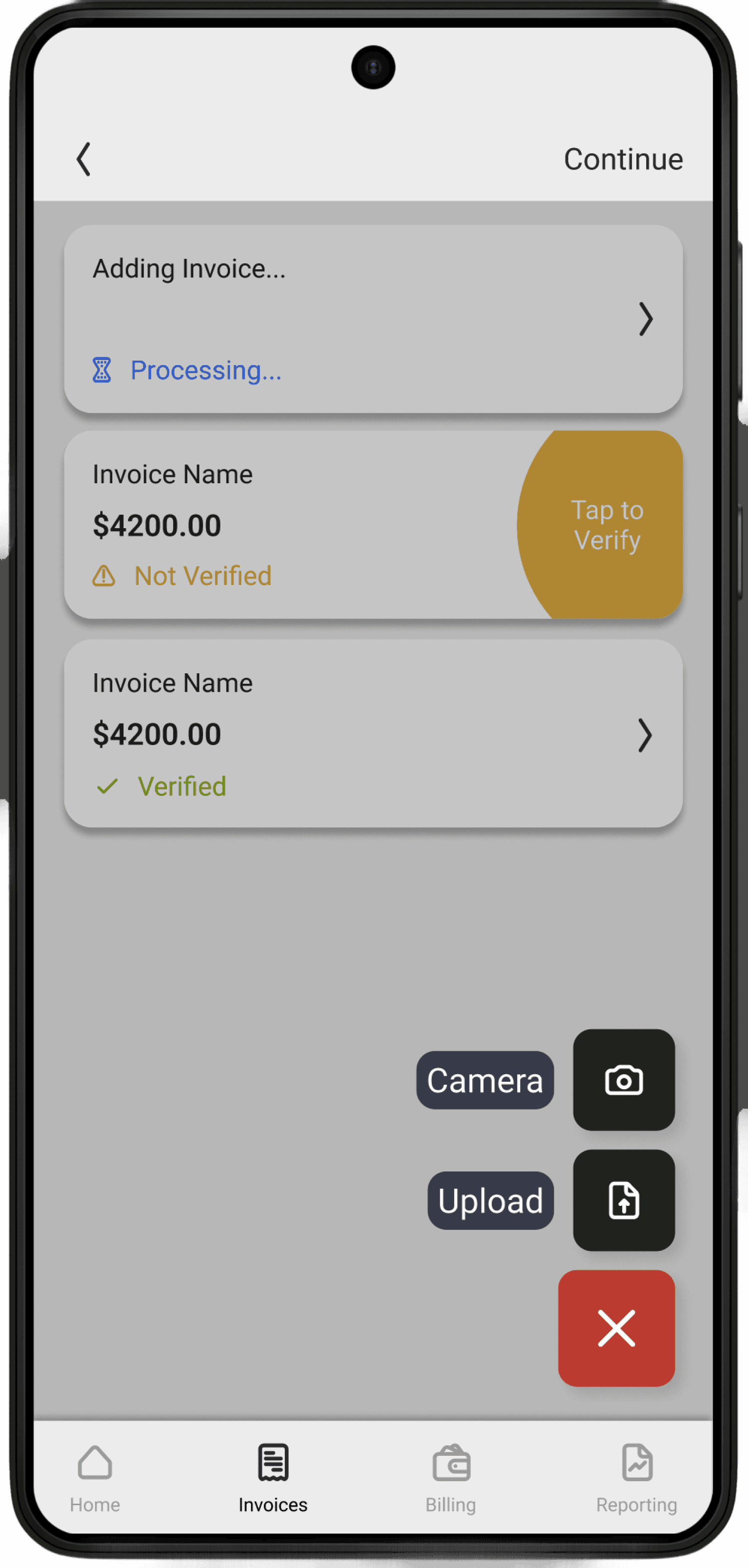
Final solution: Gave each critical function its own space while integrating smartly behind the scenes.
The Solutions That Actually Worked
Smart Navigation
The "New Invoice" button was taking up prime real estate for a feature most users didn't need anymore. I moved it to a floating action button on the invoices page. Users who need standalone transactions can still access it, but it freed up navigation space for stuff people actually use daily.
Document Integration
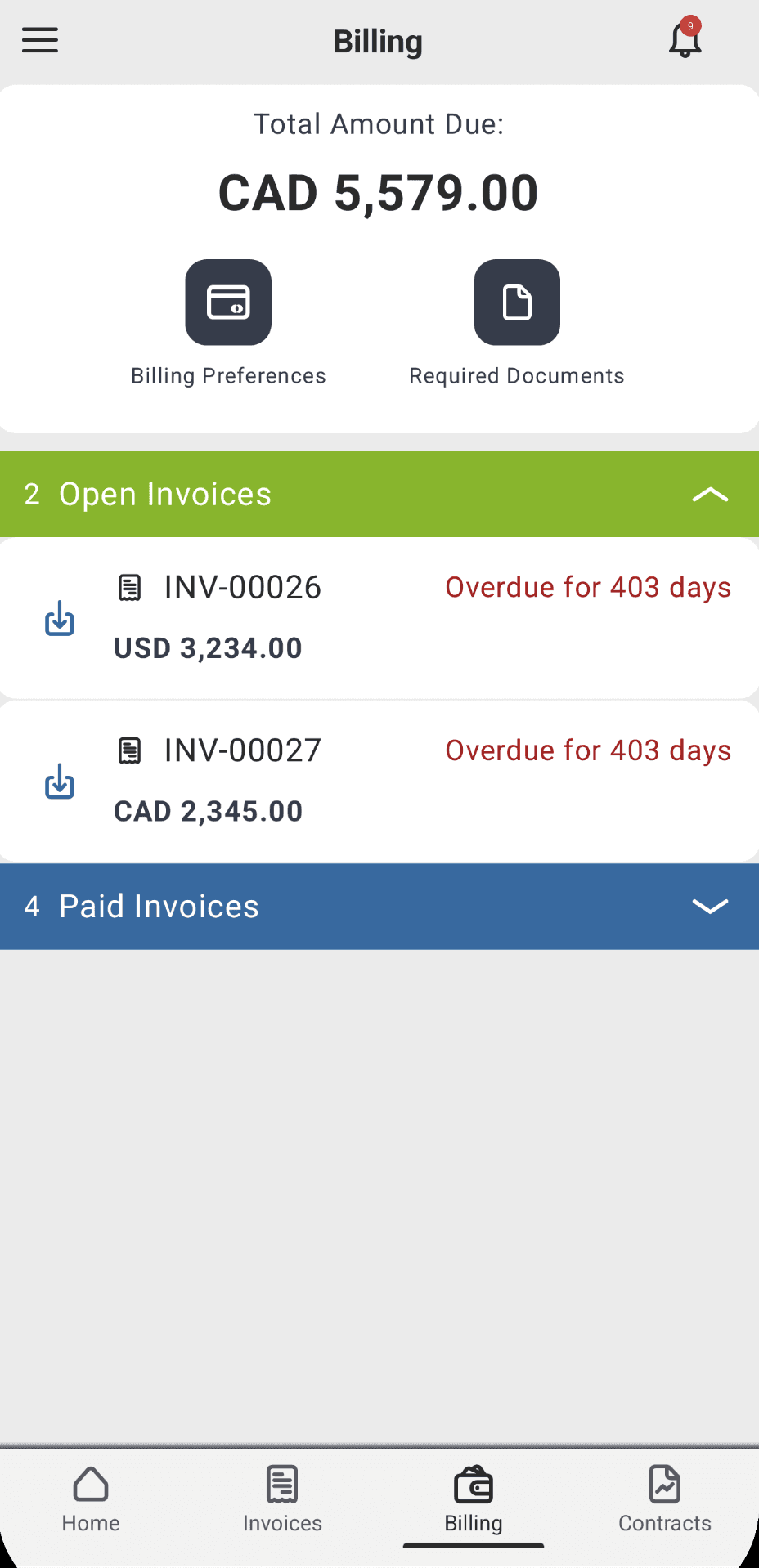
Instead of hiding document uploads at login, I integrated them into the billing flow with badge notifications. When documents are needed, users see a clear indicator. We also integrated a third-party invoice creation system here.
What Changed (The Numbers That Matter)
The results were better than I expected, honestly.
Task completion dropped from 15+ minutes to 7 minutes. User satisfaction scores jumped 60%. Support tickets for navigation issues dropped 45%. But the business impact was the real validation.
Transaction completion rates increased 17%. Onboarding completion improved across the board. Development velocity increased because teams weren't constantly asking "what should this look like?"
What I'd Do Differently
Three big lessons from this project.
The design system work was crucial, but I should have involved customer support earlier. They had insights about user pain points that could have saved us a couple of iterations at least.
I also learned that not all information needs immediate attention. The notification hierarchy framework I built here became a template for other projects. Sometimes the best design is invisible - it just lets people get their work done.
Cross-platform consistency is harder than it looks. Each platform has its own conventions and users have different expectations. The key is maintaining brand and functional consistency while respecting platform norms.
What's Next
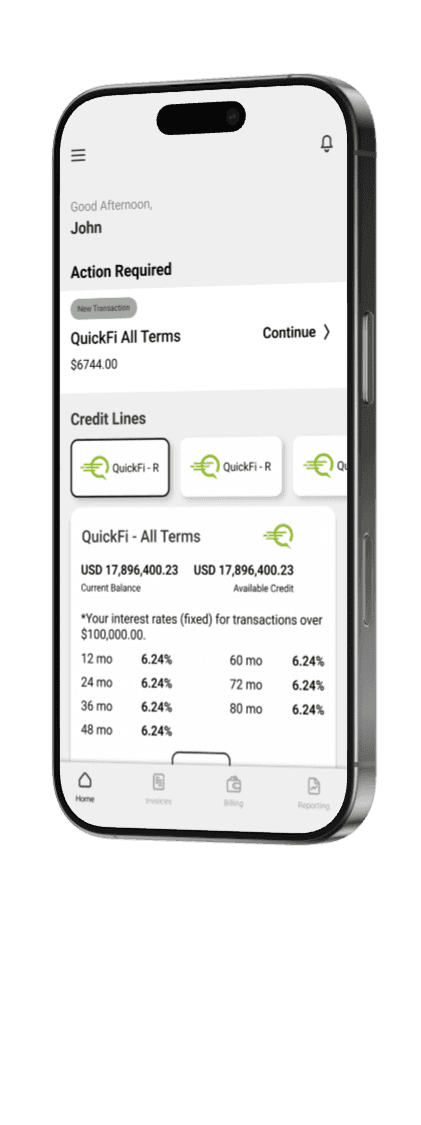
We're working on Phase 2 now - advanced analytics and automated invoice processing. The foundation we built makes these features much easier to implement consistently.
The real win here wasn't just fixing the immediate problems. We created a framework that lets the team ship features faster and more confidently. That's the kind of design work that actually moves the business forward.